
Preview in:
Face Recognition - basic information
Face recognition is a type of biometric technology that verifies a person’s identity using their facial features. Over the past few years, facial recognition has evolved significantly and is now used in many applications, including reverse face search tools.
Basically the whole process is divided into few steps:
- Detection - the system locates a face in an image or video.
- Analysis - it maps key facial landmarks (e.g., eyes, nose, mouth) and converts them into numerical data.
- Comparison - the generated faceprint is compared to images in a database or online.
- Identification or Verification - the system either identifies who the person is or confirms that two faces match.
How to use facial recognition?
One of the best ways to use facial recognition is through reverse face search tools to find:
- your images that appear online
- images that may have been misused (copyright violations)
- potential fraudsters or scammers
- a person whose background you want to check
Besides that, facial recognition is implemented in various tools that verify identity, such as smartphones and laptops for secure login, banking apps for payment authentication, airport and border security systems, social media platforms for account verification. These security measures help mitigate digital fraud and assist in identity restoration when accounts or personal profiles are compromised.
It is also used in law enforcement for identifying suspects and healthcare applications to manage patient records.
What is Facial Recognition and How to Search For Faces Online?
Face recognition search with lenso.ai
We will move forward with testing the face recognition feature available on lenso.ai. All you need to do is search by image on lenso and check the “People” category.
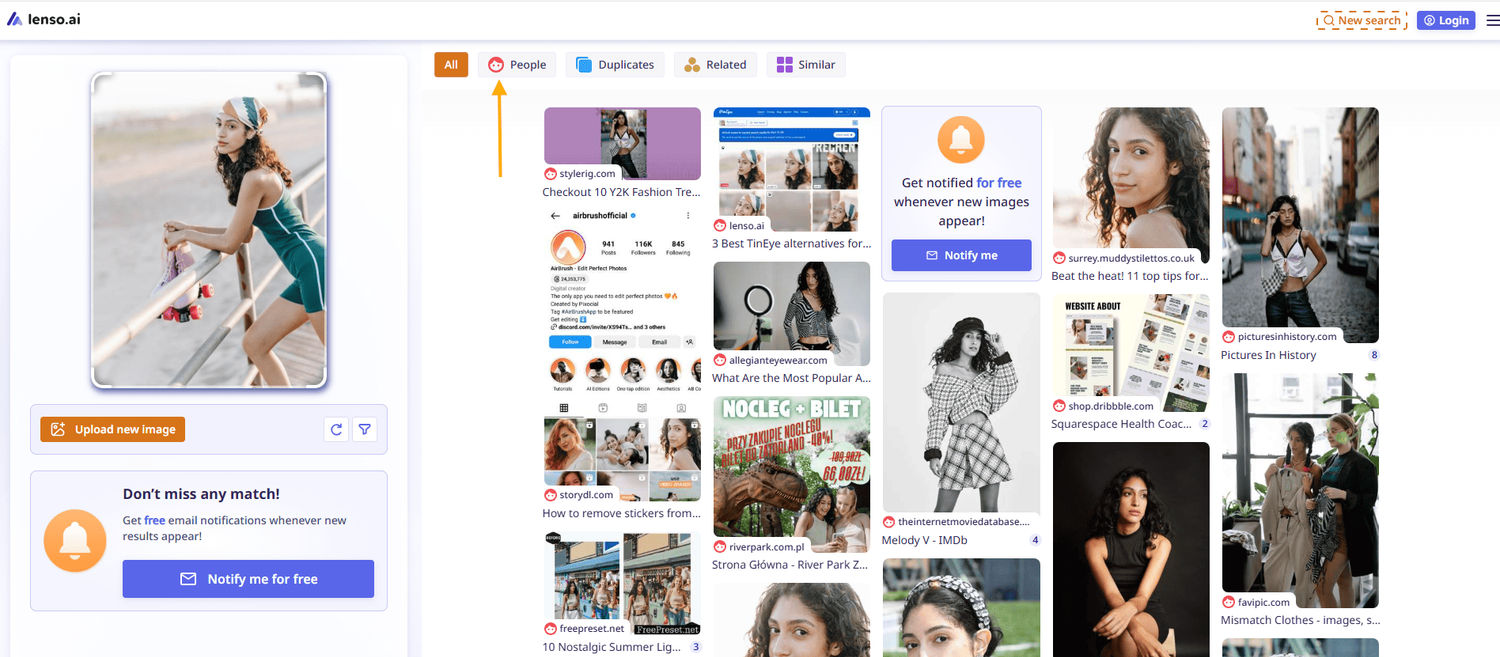
Then, simply check all available sources under each image. There, you will find all possible information about a specific image and the person in the image.
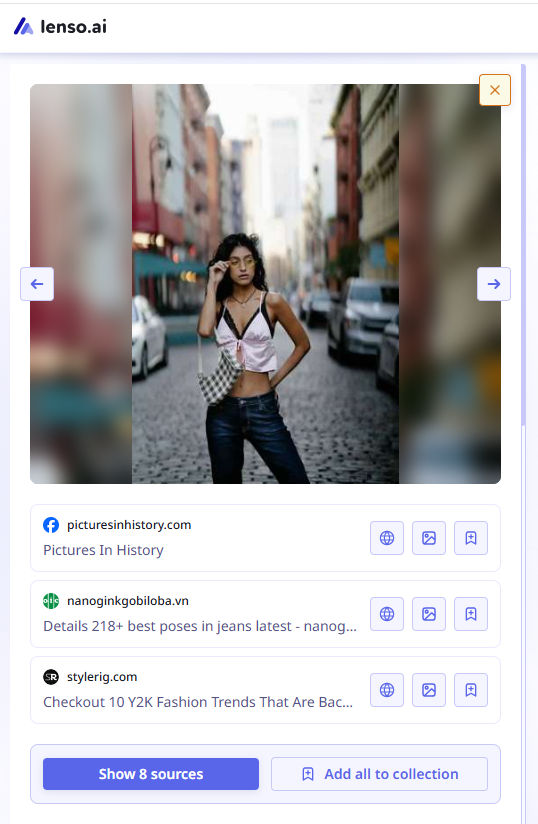
You can also refine your search by:
- checking other available categories (Duplicates, Places, Related, or Similar)
- creating a free alert to receive up-to-date information whenever new image results appear online
- filtering image results by specific domains or keywords
- sorting results by newest/oldest or best/worst match
What are the best face search tools?
Currently lenso.ai is the best face search tool that is available online. But you can also explore some lenso.ai alternatives:
- Pimeyes
- Facecheck.id
- TinEye
- Google Lens
- Yandex

Author
Julia Mykhailiuk
Marketing Specialist
Continue reading

General
Visual Product Education: 6 Ways Ecommerce Brands Can Use Images to Build Customer Confidence
High product understanding is a direct prerequisite for high purchase intent. That’s why ensuring your target audience understands your solutions and their value is essential for guiding them toward conversion. However, communicating product benefits can be slightly more challenging online than in-store.

General
The Best Reverse Image Search for Photographers. Set Up Copyright Notifications!
If you are a photographer looking for a smart way to find your copyrighted content shared online, this is the place for you! In this article, we will explain how you can search for your photos being reposted, and the best ways you can automate the searching.

General
Face Search API by lenso.ai for businesses: Top 5 Industries and use cases
If you run a business and wonder how to boost your user engagement or add a feature that may become a game changer – we do have a solution! You need to implement the face search API from lenso.ai. Check whether your use case may be a good fit for reverse face search integration.

General
How Teams Can Improve Their Image Search Skills with AI-Powered Tools
AI-powered visual tools are changing how photographers, digital marketers, content creators, and researchers work. In a single day, one person might trace the source of a photo, check a campaign image for duplicates, and look for similar visuals for a new project. The tools evolve quickly, and training often struggles to keep up.