
Preview in:
If yes, then there is some good news for you. With the advancements in technology, now there are specialized tools available on the internet that can help you quickly perform image analysis, image search, and even data extraction – all with a few clicks.
In this blog post, we will be discussing three different tools dedicated to performing each of the aforementioned tasks. So, without any delay, let’s get down into the details.
3 Best Tools for Performing Image Analysis, Search, and OCR
Here are a few reliable online tools that you can consider using for quickly and accurately performing image analysis, image search, and data extraction.
1. Lenso AI – Robust Image Search Capabilities
Lenso AI is an intelligent tool commonly used for quickly and efficiently performing image searches. The tool possesses numerous core functionalities, including reverse image search across different search engines.
Additionally, it also offers image similarity detection using deep learning models. These models efficiently recognize the visual pattern of a given image.
All you need to do is simply upload the photo to the tool, and it will immediately explore the internet to find relevant matches.
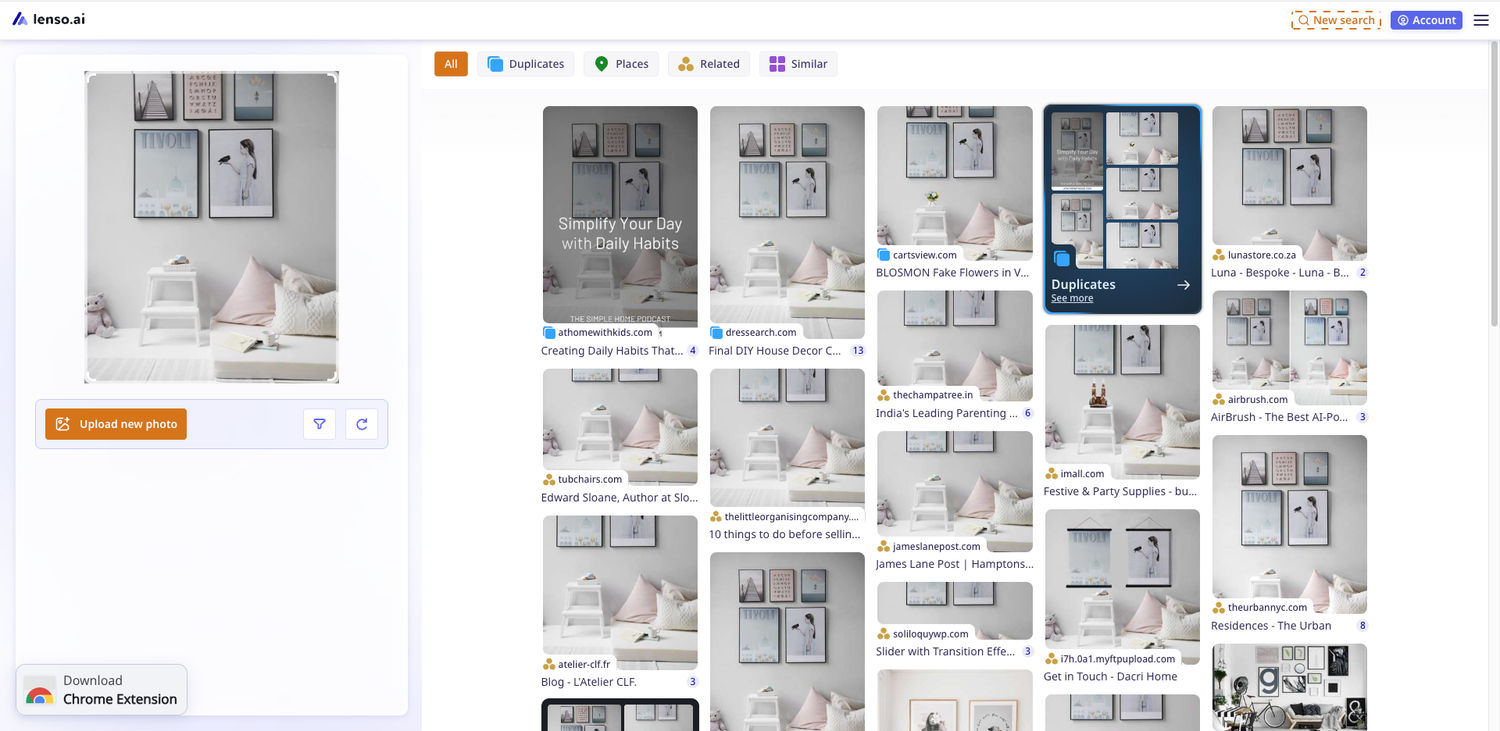
When the search is complete, the tool will provide you with different options to filter the output results, i.e., People, Duplicates, Places, Related, or Similar. Upon selecting any option, the search results will change accordingly.
So, there is no doubt in saying that Lenso AI has made it extremely easy for individuals to quickly track down image sources, find visually similar content available online, or track duplicate/manipulated versions of the photo.
This online tool is available in both free and paid versions, with the starter plan costing $15.99 per month. Lenso AI also offers an extension for Google Chrome, ensuring maximum user convenience.
Key Features to Know:
- Simple to use
- Offers both free & paid versions
- Track image source and find duplicate versions with a few clicks
- Options to filter the search results
- Chrome extension available
2. Amazon Rekognition – Offers AI-powered Photo Analysis
Amazon Rekognition is a powerful AI-powered platform. It is specifically designed to help both individuals and organizations perform in-depth image analysis by utilizing advanced computer vision capabilities.
It offers a range of features through which users can seamlessly build and deploy various image recognition models. These models can be used to detect objects, humans/animals, scenes, etc.
To get a pictorial demonstration, take a look at the video below.
Amazon Rekognition offers advanced AI features, particularly in facial recognition, object detection, and video analysis. It’s designed for developers and enterprises looking to build scalable, intelligent image and video applications. To make the most of such a powerful tool, many organizations choose to hire AI developers who can effectively implement and optimize Amazon Rekognition in real-world projects
One of the biggest strengths of Amazon Rekognition is its integration with the AWS ecosystem, enabling users to easily scale, store, and manage their media assets and results with other AWS services. Organizations can also consider AWS cost optimization to manage the cloud expenses associated with running these workloads at scale.
Key Features to Know:
- Quick detection for objects, places, and humans
- Highly quick and accurate
- Real-time video analysis and tracking
- Scalable and secure with AWS integration
3. Picture to Text – OCR-powered Text Extraction
Last but not least, we have Picture to Text – an OCR-powered tool that allows users to automatically convert pictures into editable text within seconds, similar to how Salesforce OCR capabilities enable text extraction from scanned documents within CRM workflows. In web-based document workflows, PDF text often moves through a text extraction API before review or search. Now, there is no need to spend valuable time and effort on manually extracting important text from images or documents.
This online OCR tool offers batch processing, which means users can submit multiple pictures (up to 3) at once for extraction. Users can upload images in several ways, such as directly pasting the image URL, dragging/dropping, or loading from a local gallery.
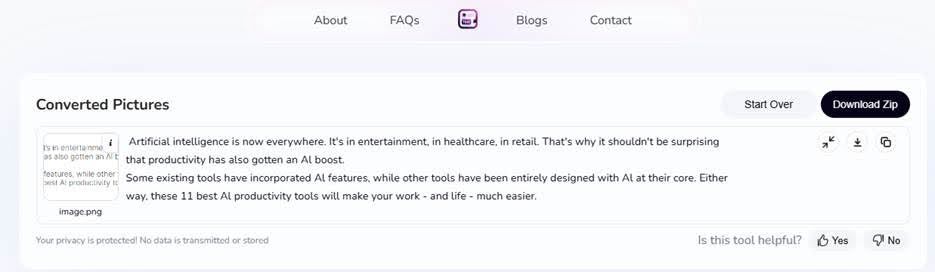
There is also multilingual support available to serve the needs of a global audience. The best thing is that Picture to Text isn’t only capable of scanning and extracting plain text from the images. Instead, it can also extract special fonts, symbols, characters, and even equations.
Finally, the tool provides output results in a machine-readable format, so that you can easily edit and copy them.
Key Features to Know:
- Free to access/use
- Batch processing functionality
- Support for multiple languages
- Accepts images in numerous formats
- Comprehensive output results
Wrapping Up
As an internet user, you may have come across an image that you wish to understand what it contains, track its primary source, and get all of its information in an editable format. Fortunately, all of these tasks can be performed by utilizing the right tools. This blog post has explained three of the best options in detail.

Author
Guest Post
Marketing Specialist
Continue reading

General
Visual Product Education: 6 Ways Ecommerce Brands Can Use Images to Build Customer Confidence
High product understanding is a direct prerequisite for high purchase intent. That’s why ensuring your target audience understands your solutions and their value is essential for guiding them toward conversion. However, communicating product benefits can be slightly more challenging online than in-store.

General
The Best Reverse Image Search for Photographers. Set Up Copyright Notifications!
If you are a photographer looking for a smart way to find your copyrighted content shared online, this is the place for you! In this article, we will explain how you can search for your photos being reposted, and the best ways you can automate the searching.

General
Face Search API by lenso.ai for businesses: Top 5 Industries and use cases
If you run a business and wonder how to boost your user engagement or add a feature that may become a game changer – we do have a solution! You need to implement the face search API from lenso.ai. Check whether your use case may be a good fit for reverse face search integration.

General
How Teams Can Improve Their Image Search Skills with AI-Powered Tools
AI-powered visual tools are changing how photographers, digital marketers, content creators, and researchers work. In a single day, one person might trace the source of a photo, check a campaign image for duplicates, and look for similar visuals for a new project. The tools evolve quickly, and training often struggles to keep up.